Innovative UX/UI Designs: My Student Portfolio Highlights

In the fast-evolving world of digital design, standing out is crucial. As a student in UX/UI design, I have had the opportunity to explore various innovative projects that showcase my skills and creativity. This blog post will highlight some of my best work, providing insights into my design process and the principles that guided my projects.
Understanding UX/UI Design
Before diving into my portfolio highlights, it’s essential to understand what UX (User Experience) and UI (User Interface) design entail.
User Experience (UX) focuses on the overall feel of the product. It involves understanding user needs, behaviors, and pain points to create a seamless experience.
User Interface (UI), on the other hand, deals with the look and layout of the product. It includes everything that users interact with, from buttons to icons and typography.
Both elements are crucial for creating effective digital products that not only look good but also provide a satisfying user experience.
Project 1: The Fitness App
Overview
One of my standout projects was designing a fitness app aimed at helping users track their workouts and nutrition. The goal was to create an intuitive interface that encourages users to stay active and healthy.
Design Process
Research and User Personas: I began by conducting surveys and interviews to understand the target audience. This helped me create user personas that guided my design decisions.
Wireframing: I sketched out wireframes to visualize the app's layout. This stage allowed me to experiment with different navigation structures and features.
Prototyping: Using tools like Figma, I developed a high-fidelity prototype that included interactive elements. This was crucial for testing the user flow and gathering feedback.
Key Features
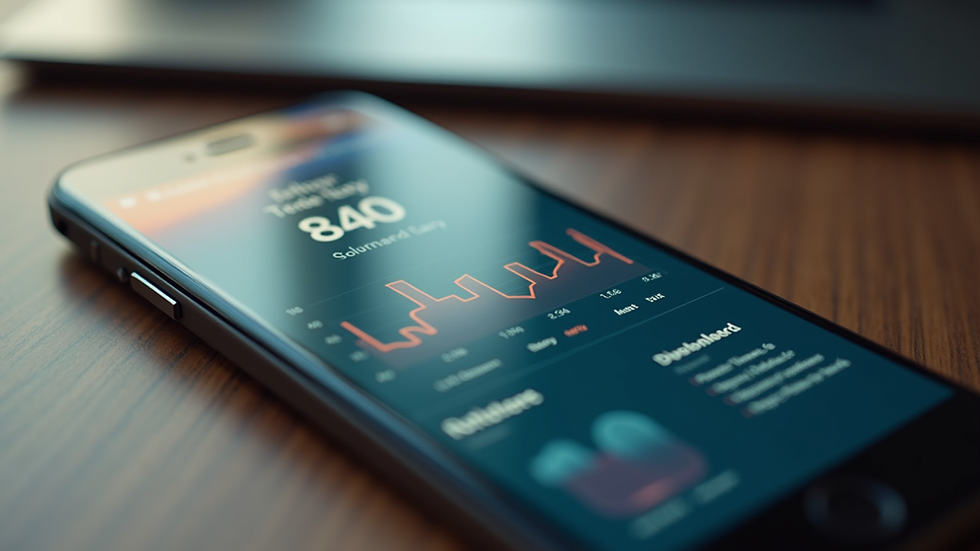
Personalized Dashboard: Users can see their progress at a glance, including workout history and nutritional intake.
Goal Setting: The app allows users to set fitness goals and provides reminders to keep them on track.
Social Sharing: Users can share their achievements with friends, fostering a sense of community.
Outcome
The app received positive feedback during user testing, with many praising its clean design and ease of use. This project taught me the importance of user-centered design and iterative testing.
Project 2: E-commerce Website Redesign
Overview
Another significant project was the redesign of an e-commerce website. The existing site had a cluttered layout that made it difficult for users to navigate and find products.
Design Process
Heuristic Evaluation: I conducted a heuristic evaluation of the existing site to identify usability issues. This analysis informed my redesign strategy.
User Testing: I gathered feedback from users interacting with the current site to understand their frustrations and needs.
Visual Design: I focused on creating a visually appealing layout that highlighted products while ensuring easy navigation.
Key Features
Simplified Navigation: I implemented a clear menu structure that allows users to browse categories effortlessly.
Product Filters: Users can filter products by various criteria, such as price, size, and color, making it easier to find what they need.
Responsive Design: The site is optimized for both desktop and mobile devices, ensuring a seamless shopping experience.
Outcome
The redesigned website led to a significant increase in user engagement and sales. This project reinforced the importance of usability and aesthetics in e-commerce design.
Project 3: Educational Platform
Overview
My third project involved designing an educational platform for online learning. The goal was to create an engaging and interactive environment for students.
Design Process
Content Strategy: I collaborated with educators to understand the content needs and learning objectives of the platform.
User Journey Mapping: I mapped out the user journey to identify key touchpoints and interactions within the platform.
Interactive Elements: I incorporated interactive elements such as quizzes and discussion forums to enhance user engagement.
Key Features
Course Dashboard: Students can easily access their courses, track progress, and view upcoming assignments.
Discussion Forums: A space for students to engage with peers and instructors, fostering a collaborative learning environment.
Gamification: I added gamified elements, such as badges and rewards, to motivate students and enhance their learning experience.
Outcome
The platform received positive feedback from both students and educators, highlighting its user-friendly interface and engaging features. This project emphasized the importance of creating an interactive learning experience.
Project 4: Non-Profit Organization Website
Overview
For my final project, I worked with a non-profit organization to redesign their website. The goal was to create a platform that effectively communicates their mission and encourages donations.
Design Process
Stakeholder Interviews: I conducted interviews with the organization’s team to understand their goals and target audience.
Information Architecture: I developed a clear information architecture to ensure users could easily find information about the organization’s work and how to get involved.
Visual Storytelling: I focused on using visuals to tell the organization’s story and highlight their impact.
Key Features
Impact Stories: A dedicated section showcasing success stories and testimonials from beneficiaries.
Donation Portal: A simple and secure donation process that encourages users to contribute.
Event Calendar: Users can view upcoming events and volunteer opportunities, fostering community involvement.
Outcome
The redesigned website significantly increased user engagement and donations. This project highlighted the power of design in conveying a message and driving action.
Lessons Learned
Throughout these projects, I learned several valuable lessons that will guide my future work:
User-Centered Design is Key: Always prioritize the needs and preferences of users in your design process.
Iterative Testing is Essential: Regularly test your designs with real users to gather feedback and make improvements.
Collaboration is Crucial: Work closely with stakeholders and team members to ensure that the final product meets everyone’s needs.
Conclusion
My journey through these innovative UX/UI design projects has been both challenging and rewarding. Each project has taught me the importance of understanding user needs, conducting thorough research, and iterating on designs based on feedback. As I continue to develop my skills, I am excited to take on new challenges and create impactful designs that enhance user experiences.
If you're interested in seeing more of my work or collaborating on a project, feel free to reach out!


Comments